WhatsApp has launched a new feature called Chat Filters.
Chat Filters allow you to quickly find your chats using three pre-set filters: All, Unread, and Groups.
Filter names are pre-set and can’t be changed.

In the bustling world of messaging apps, Meta-owned WhatsApp has emerged as a go-to platform for connecting with friends, family, and colleagues. With a lot of messages exchanged every day, finding the right conversation can sometimes feel like searching for a needle in a haystack.
 Survey
But fear not! WhatsApp has announced a handy feature called Chat Filters, designed to simplify your messaging experience.


In this complete guide, we’ll walk you through everything you need to know about the new Chat Filters on WhatsApp.
Also read: Book your DTC bus tickets via WhatsApp: Here’s how
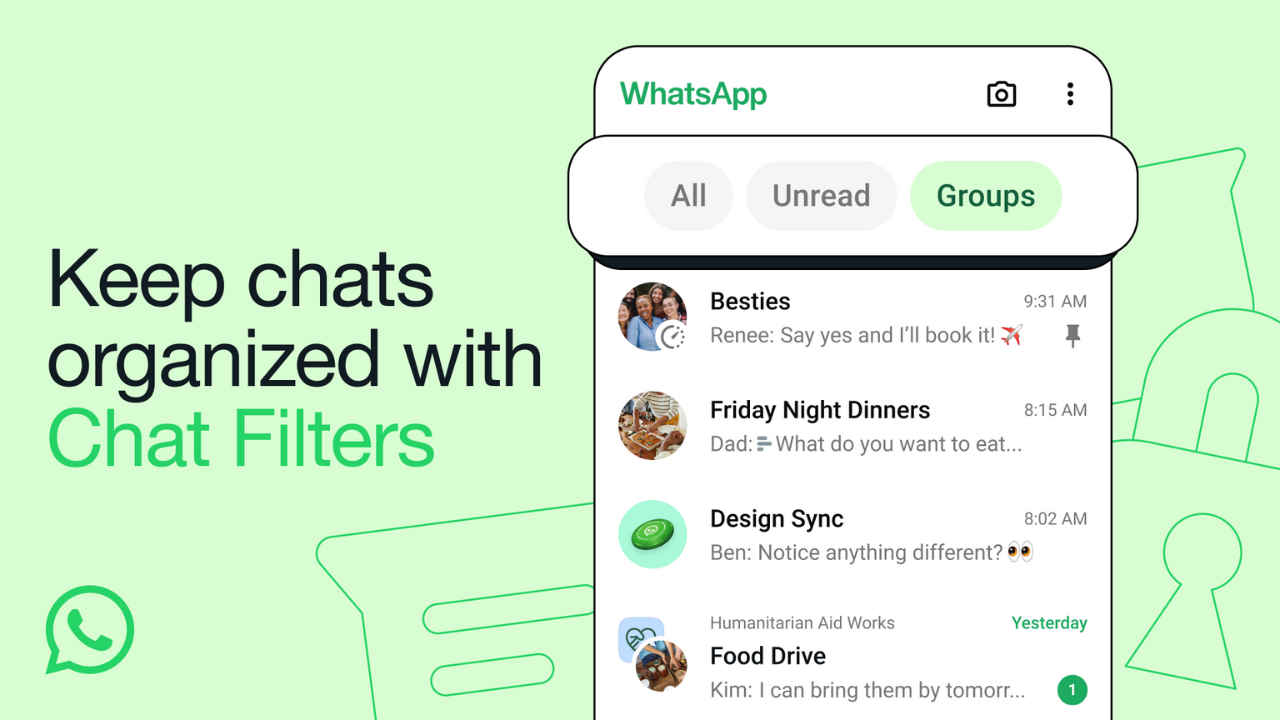
Chat Filters on WhatsApp
Chat Filters on WhatsApp allow you to quickly find your chats using three pre-set filters: All, Unread, and Groups. When a filter is selected, it’s highlighted. Filters remain applied until you change the filter view, or exit and re-open WhatsApp.
It’s important to note that filter names are pre-set and can’t be changed. Also, chats can’t be recategorised or organised within the filters.
Chat Filters are currently rolling out, and will be available to everyone in the coming weeks. So, if you haven’t received the Chat Filters yet, just wait a little while.
Also read: Find WhatsApp messages faster: Here’s how to use Search by Date feature

Types of Chat Filters
- All: The default view of all your messages.
- Unread: The Unread filter displays messages marked as unread by you or those not yet opened.
- Groups: This filter will show all your group chats. Also, it will show subgroups of Communities. According to the company, this is a “highly requested feature.”
How to use Chat Filters on WhatsApp
Step 1: Open the WhatsApp app.
Step 2: On the top of the main Chat screen, you will see three filters: All, Unread, and Groups. Tap the filter that you want to apply.
Alternatively, you can swipe left or right to switch between filter views.
 Follow Us
Ayushi Jain
Ayushi works as Chief Copy Editor at Digit, covering everything from breaking tech news to in-depth smartphone reviews. Prior to Digit, she was part of the editorial team at IANS. View Full Profile


