
macOS Golden Gate public beta is here: How to install, supported devices and all new features
 Follow Us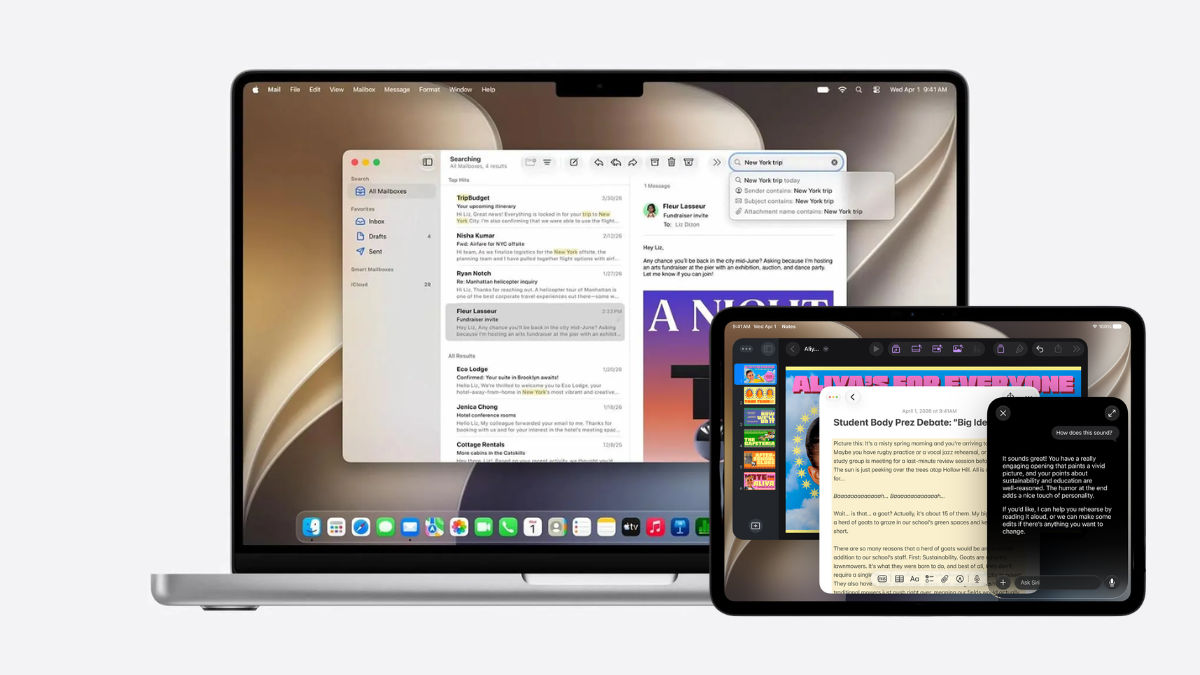

Just last month during WWDC, Apple had a big announcement in store for all the MacBook users out there. No, this wasn’t about a new MacBook, but about what is coming for those who already own a MacBook. In case you haven’t already guessed, we are talking about the macOS Golden Gate. Announced with a lot of enthusiasm by the Cupertino-based tech giant, the new macOS brings a lot of exciting features along with it. And if you are one of those enthusiasts who want to experience these features before anyone else, here is some good news. macOS Golden Gate’s public beta is now out. And before you go ahead and install it, read on. Here is all you need to know.
 Survey
Also read: Best laptops to buy under Rs 60,000 for work, study and gaming in 2026
Should you install macOS Golden Gate?
Now before we get to the details, let’s first answer a very common question- should you install the public beta at all. This is because the answer depends on how you use your Mac. If you are excited to try Apple’s latest features before everyone else, the public beta gives you that opportunity. You will get early access to features like the revamped Siri, smarter Spotlight search and deeper Apple Intelligence integration months before the final version rolls out. But, there is something you need to remember before getting too excited – this is still in the beta stage.
This means that you may come across bugs, app crashes and occasional performance issues. So if your Mac is your only work machine or you rely on specific professional software, it is better to wait for the stable release later this year. But, if you have a secondary Mac or really want to test apps and features ahead of time, the public beta makes sense. Just, be careful.
What devices are supported?
Apple had announced during WWDC that with macOS Golden Gate, they are officially moving on from Intel-powered Macs. So, Golden Gate only supports Apple silicon devices.
This means that the update is available for every Mac powered by the M1 chip or newer. This includes the MacBook Air models from 2020 onwards, MacBook Pro models with M1 and newer chips, Apple silicon iMac models, Mac mini, Mac Studio, MacBook Neo (2026), and the Mac Pro powered by Apple silicon. Apple has also confirmed that Apple Intelligence and the new Siri experience will be available on all supported Macs with the M1 chip or later.
How to install the macOS Golden Gate public beta
Now if you have decided to install the macOS Golden Gate public beta, here’s what you need to do.
First, enrol your Mac in Apple’s Public Beta programme through the Apple Beta Software Program website.
Once enrolled, open System Settings, head to General, then Software Update. Click the ‘i’ button next to Beta Updates and choose macOS 27 Golden Gate Public Beta from the drop-down menu. After selecting it, click Done and your Mac will begin downloading the beta update, just like a regular macOS update.
What is new with macOS Golden Gate
macOS Golden Gate brings several changes with Apple focusing on both new AI-powered features and overall system improvements. Let’s take a closer look.
Siri will be much smarter: With macOS Golden Gate, Siri is a complete virtual assistant and marks Apple’s entry into the agentic AI era. Called Siri AI, this all new Siri is built on Apple Intelligence. The virtual assistant now comes with new AI-powered capabilities that allow it to understand context, interact with apps, and perform tasks on behalf of users.
On macOS 27 Golden Gate, Siri can help draft emails, create calendar events, find information buried in Messages or Mail, and answer questions using data from apps, photos, documents, and even the web. Siri can also understand what’s currently displayed on screen through an upgraded Visual Intelligence feature.
Moreover, there will be a dedicated Siri app. Thanks to this app, you will be able to hold ongoing conversations with the assistant and continue those chats across Mac, iPhone, and iPad through iCloud syncing.
Siri will also become deeply integrated into Spotlight search. Which means that you can type natural-language requests directly into Spotlight and ask Siri to perform actions such as checking the weather, creating reminders, or scheduling appointments.
Safari is also getting some useful AI features: We’ve all been in situations where we opened so many tabs on our browsers, that we completely lost track of what topics we were searching about. But thanks to the updated Safari on macOS Golden Gate, this will no longer be an issue.
Safari will be able to analyse open tabs and group them into relevant topics. So if you’re looking up details of a planned vacation, shopping online, or juggling multiple projects, this could reduce clutter.
Apple is also introducing a new Notify Me feature. Users can ask Safari to monitor webpages for changes and receive alerts when something important happens.
For example, if a sold-out product becomes available again or ticket sales open for an event, Safari can notify users automatically. Instead of repeatedly refreshing webpages, users can let the browser do the monitoring.
Another interesting feature is Describe an Extension. Thanks to this, you need to just explain what you want a browser extension to do, and Safari can generate one automatically. Yep, you read that right.
Search is becoming smarter: Smart upgrades don’t end at Siri or Safari. Search has now become smarter too. Anyone who has struggled to find a recently downloaded file, an email attachment, or an image hidden somewhere in their photo library knows how frustrating the experience can be.
But with macOS 27 Golden Gate, Apple has rebuilt its indexing system to make search faster and more accurate. New content is indexed almost instantly and more quickly, letting users locate files and information faster than before.
Spotlight search on Mac is also receiving a new ranking system that delivers more relevant results across files, folders, emails, and photos.
Apple Intelligence features: WWDC 2026 marked Apple’s strongest push yet into what the industry calls agentic AI, systems that can take actions on behalf of users rather than simply generating answers.
One example can be found in the Passwords app. Apple said that the app can identify weak or compromised passwords and, for supported websites, automatically log in, generate stronger credentials, update account information, and save the new password securely.
Shortcuts app is also receiving a major boost on Mac. Traditionally, creating shortcuts required users to build automation workflows step by step. But with macOS 27, users can simply describe what they want in plain English.
For example, someone could ask Shortcuts to create a routine that checks the next day’s calendar events and automatically sets an alarm accordingly.
Better performance and design changes: Beyond AI, there are changes in terms of performance and design as well. macOS 27 Golden Gate will result in a faster performance across the board. This means that AirDrop transfers should be quicker, Safari is expected to load faster, and file searches should return results more rapidly. Apple has also said that Macs will feel more responsive overall.
As for the design, Apple introduced its Liquid Glass visual language last year bringing a more transparent and layered look to the interface. Now the Liquid Glass design still remains a key part of macOS 27 Golden Gate, but Apple is making it more user-friendly.
The company is introducing a new transparency control slider that allows users to adjust how strong the visual effect appears throughout the operating system. This gives users greater control over the look and feel of the interface while also improving readability. This applies to iPadOS 27 as well.
For Developers: There is something for developers as well as they get an upgraded Xcode 27, which ships with the macOS 27 SDK and introduces new AI-assisted coding and testing tools to help speed up app development.
What do you think of the macOS Golden Gate public beta and will you install it? Let us know and keep watching this space for more such updates.
Also read: Apple may not launch M6 Pro and M6 Max chips afterall: Here is why


